Starting in the 5778 school year the wireless networks available in the CS buildings have been made the same as the networks available on the rest of the campus.
¶ Networks
The following networks are now available:
- HUJI-guest - this is a network that is meant for guests on campus, it does not allow access to a lot of university/international resources like journal databases etc.
- eduroam - the network we recommend students connect to, part of the eduroam project, allows access to databases etc.
¶ Connecting
¶ HUJI-guest
Nothing special is required, this is an open public network like any other.
¶ eduroam
- Register for RA account at: rap.huji.ac.il using ID number (without control digit) and Personal code. The ID number and Personal code should match those that appear in the student's payment book or in the pay slip.
- Connection instructions can be found at CA's instruction for Wireless connection
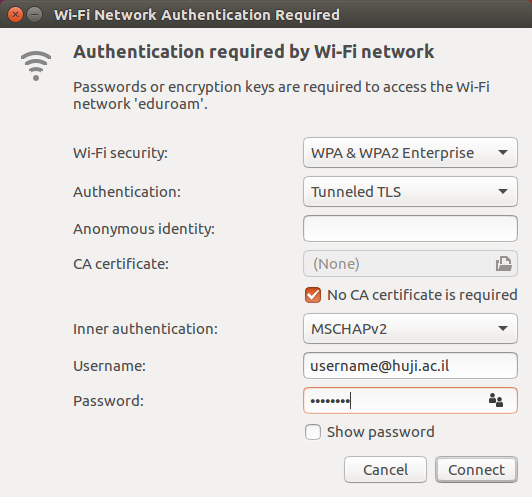
- Use your RA account to connect to eduroam with <username>@huji.ac.il , DO NOT USE <username>%ra
- When using eduroam network, any access to CS' domain/computer name should be using its full domain name with cs.huji.ac.il postfix
¶ Connecting to Eduroam from Linux
This should work out of the box on most Linux distributions, the following GUI guide was prepared on Ubuntu 16.04 (LTS), the CLI guide in Raspbian 9.
The process should be similar on other (newer) distributions.
¶ GUI Guide
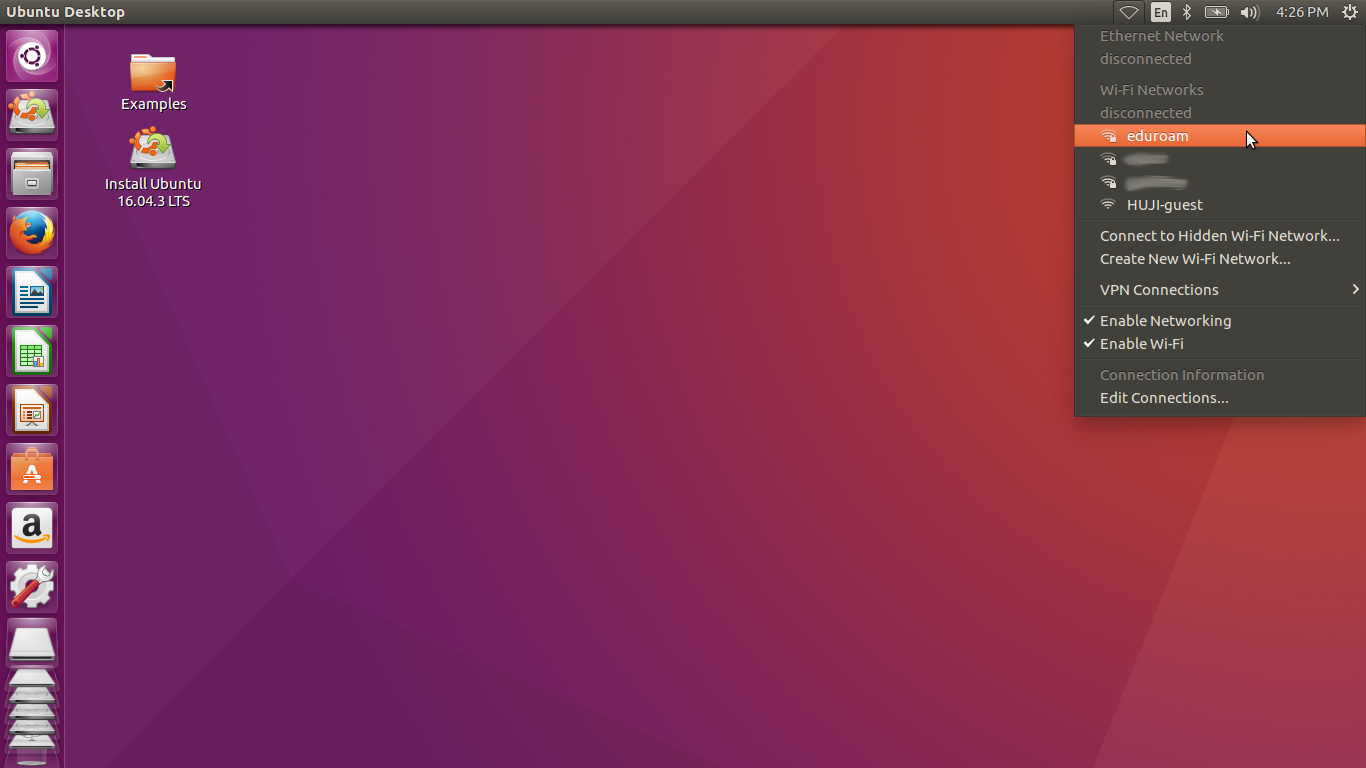
Choose the eduroam network:
The settings for eduroam are:
¶ CLI Guide
The configuration for wpa_supplicant is located at /etc/wpa_supplicant/wpa_supplicant.conf, for eduroam the configuration would look like this:
network={
ssid="eduroam"
key_mgmt=WPA-EAP
eap=TTLS
phase2="auth=MSCHAPV2"
identity="<username>@huji.ac.il"
password="<password>"
}